Bookhead on Canva
Search a book, then drag the cover into your Canva design.
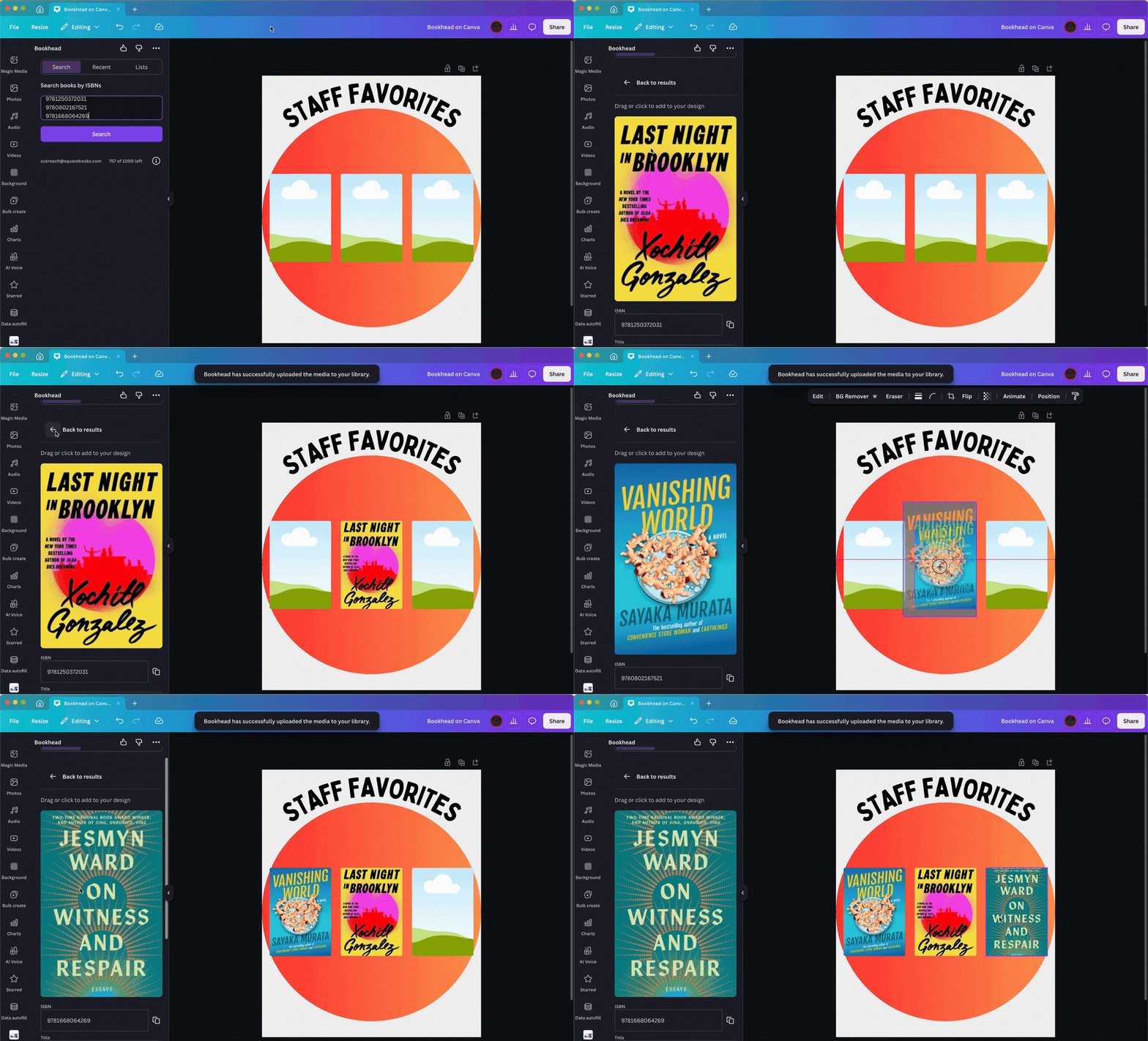
Built for booksellers, publishers, librarians, and any design-minded bibliophile. No more hunting down cover art, retyping author names, or copy-pasting from five tabs at once.
Key features
-
Covers, titles, authors & more
-
Insert cover images, titles, authors, descriptions, publishers, and reviews into your designs with one click.
-
Connect your book lists
-
Link book reviews from Google Sheets or Airtable and use it directly in your Canva designs.
-
Local ISBN cache
-
Save your ISBN searches locally so you can reuse book data across designs without looking it up again.
-
Works with any template
-
Social posts, newsletters, shelf-talkers, event flyers and more. Use it with any Canva template you already love.
-
ISBN-named cover files
-
Cover images are saved as 978xxxxxxxxx.jpg, making them easy to find and organize.
-
Several ways to search
-
Look up a single ISBN, paste in a batch, or pull from a connected list. However you work.
Pricing
Bookhead on Canva subscription plans
Try It Free
Free /month
- 25 free lookups
- Cover images & bibliographic data
- Local ISBN cache
Book Lovers
$20 /month
$200/year, save 15%
- 250 lookups/month
- Cover images & bibliographic data
- Google Sheets & Airtable connection
- Local ISBN cache
ABA Members
$15 /month
$144/year, save 20%
- 250 lookups/month
- Cover images & bibliographic data
- Google Sheets & Airtable connection
- Local ISBN cache
To upgrade, just email us and we'll switch your plan over.
Ready to design with real book covers?
Try Bookhead on Canva free. 25 lookups, no credit card required.
Coming soon
Using InDesign?
We're building the same book-cover workflow for Adobe InDesign. Join the waitlist and we'll let you know when it's ready.
Also from Bookhead
Need ISBN data outside of Canva?
ISBN Magic turns ISBNs into rich book data in Google Sheets, CSV, or via API. If you work with bibliographic data beyond your designs, it's the perfect tool.
